
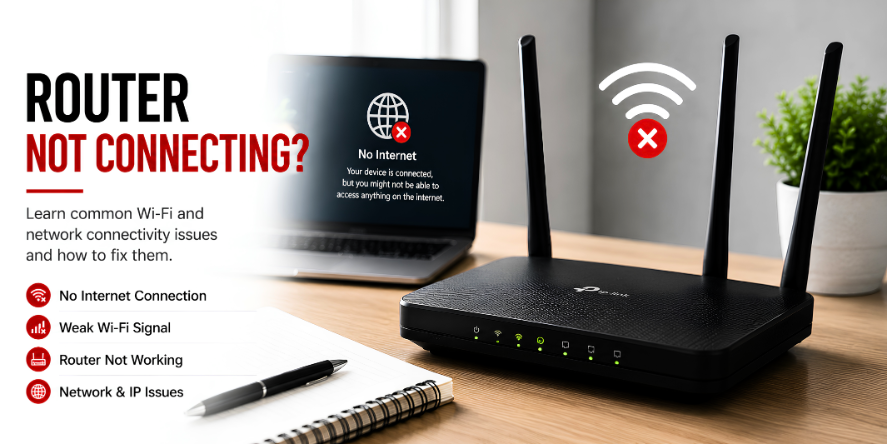
Why Router Lights Are Useful
Router lights give quick visual information about the condition of a home or office network. They can show power, internet activity, Wi-Fi broadcasting, Ethernet connection, and data movement.
Every router model may use different labels or colors, but the purpose is similar: to help users understand whether the device is powered, connected, and moving data.
Common Router Light Meanings
- Power: Shows that the router is receiving electricity.
- Internet/WAN: Shows whether the router is connected to the internet source.
- Wi-Fi: Shows whether wireless signal is active.
- Ethernet/LAN: Shows wired device activity.
- WPS: Shows pairing activity on routers that support WPS.
Important Wi-Fi Terms
- SSID: The visible name of the Wi-Fi network.
- Password: The security key used to join the network.
- Signal strength: How strong the wireless connection is between the device and router.
- Bandwidth: The amount of data the network can carry.
- Range: The area where the Wi-Fi signal can be received.
Question: Why Does Wi-Fi Drop Sometimes?
Wi-Fi may drop because of weak signal, distance from the router, interference, too many connected devices, router restart, or service interruption. A drop does not always mean the router is damaged.
Question: What Does Blinking Usually Mean?
Blinking lights often show activity. For example, data may be moving, a device may be connecting, or the router may be processing network traffic.
Learning Point
Router lights and Wi-Fi terms help explain network behavior. When users understand these basic signals, connection messages become easier to read.
Editorial Note
Written for simple digital learning.
Bring My Guide creates readable educational articles about everyday digital topics. Each article explains the meaning, common behavior, and useful context behind the subject.